
When something sells out, let people ask to hear when it is back
A shopper on a sold-out product asks to be told when it returns. When your store has it again, the people waiting are emailed in the order they asked, a few at a time. It is part of your plan, not a separate app.
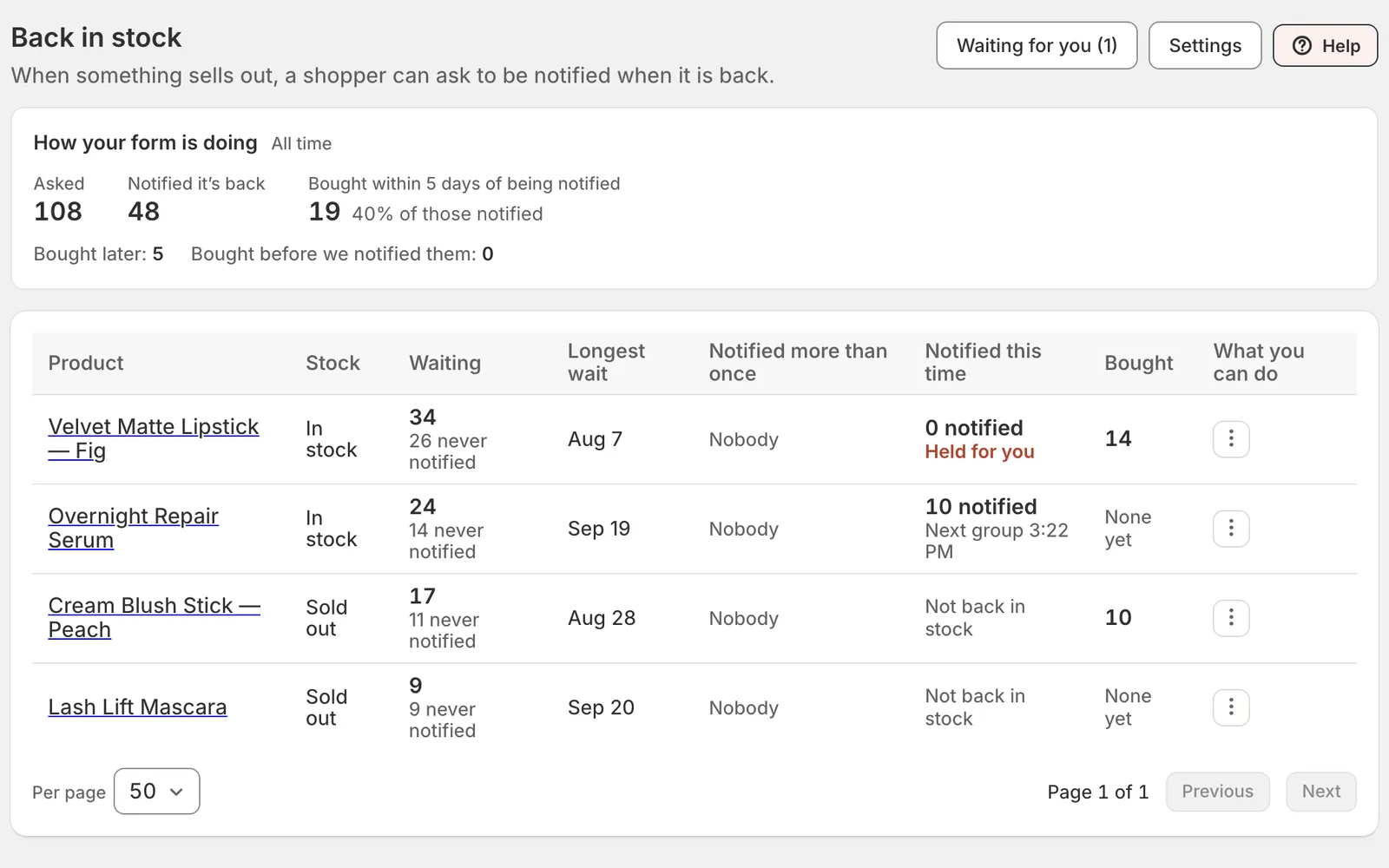
The demand screen: how many people asked, how many were told and how many bought, each sold-out product’s queue, and the menu that notifies the next group. Shown with a sample store.
Asking is not joining your list
A request lets you tell that person about that one product, and nothing else. It records no consent, puts nobody on a list and starts no welcome automation. If they also want your news, that is a separate box they tick themselves.
A few at a time, with your store checked between
Five people a group and forty-five minutes between groups to begin with, both yours to change. Your stock is checked again before every email, so at most one group can hear about it after the last unit sells.
You decide when it goes
Hold one restock, or every restock, until you are ready. Mark a variant discontinued and the people waiting are told it is not coming back.
How it works
1. Add the block to your product page
Content → Back in stock → Settings walks you through it and says when the block is in place on your published theme. The form it opens is yours to edit, like any other form.
2. Shoppers ask
On a sold-out product, a Notify button stands where the sold-out button was. A quick check that a person, not a bot, pressed it rides the same press, and nobody is sent an email asking them to confirm.
3. See who is waiting, and what sold
Every variant with people waiting, longest queue first, and how many asked, how many were told and how many bought.